
Aqsha: Money & Expense Tracker
Track spending, no tracking
Coming soon to the App Store, Google Play, the Microsoft Store and Flathub.
Aqsha is a personal finance app for people who want to know where their money goes, without handing it to anyone else. Record your spending and income, see it all at a glance, and keep your devices in sync. Your data stays yours: no account, no ads, no tracking.
For Android, iPhone, iPad, Mac, Windows and Linux. In English, Russian and Kazakh. Free, with Aqsha Plus as a one-time purchase.
On your phone, tablet and computer
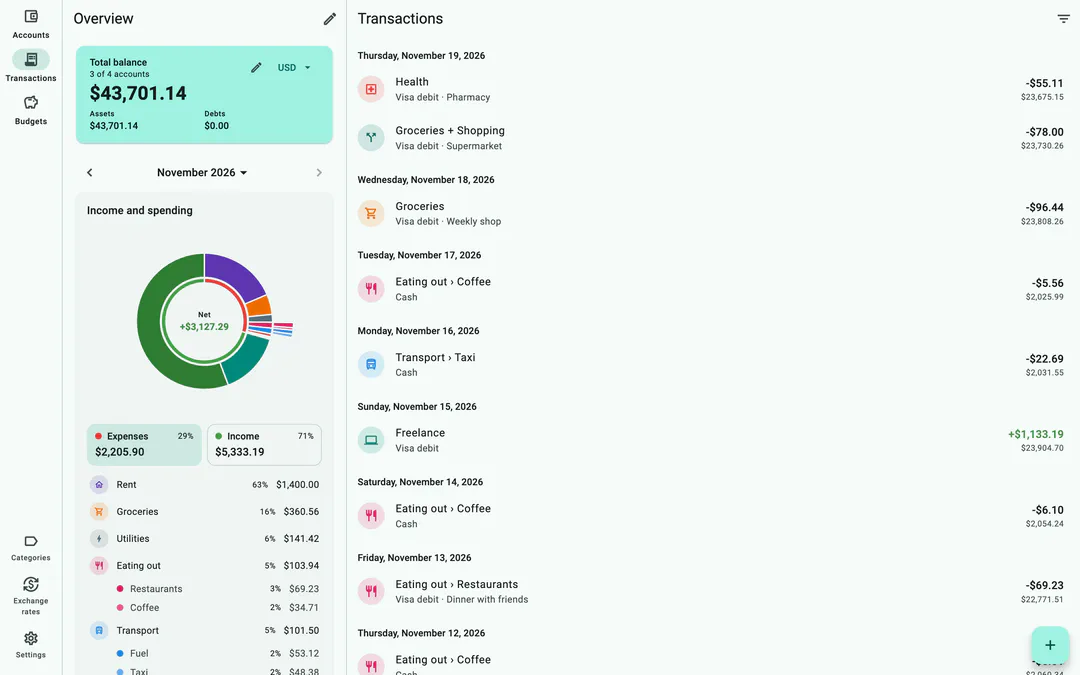
Aqsha is one app for all your devices: Android phones and tablets, iPhone, iPad, Mac, Windows and Linux. On tablets and computers, the overview stays open beside the rest, so you see the whole picture while you record and browse. Light and dark themes.
Keep them all in sync with Aqsha Plus, through iCloud, Google Drive or a folder you already sync. There’s no Aqsha server in between: each device works offline and exchanges changes when it can. One device with Plus unlocks sync for all devices in its group.
See where your money goes
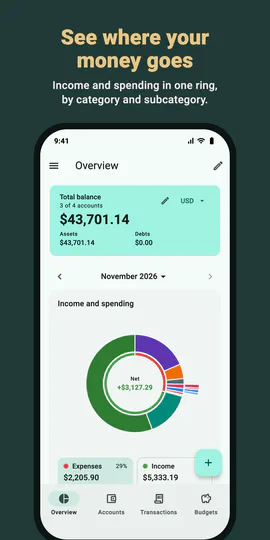
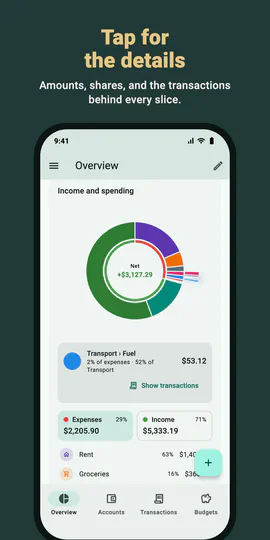
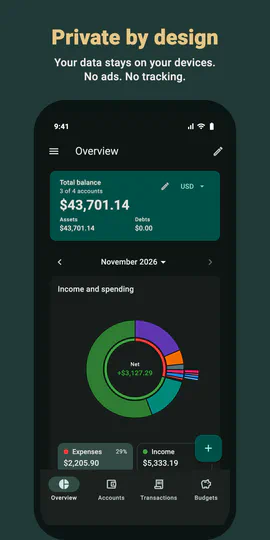
One ring shows the whole picture: expenses grow clockwise, income counter-clockwise, and where they meet tells you which is bigger. Categories sit in the inner ring, their subcategories in the outer one. Tap any slice to see its amount and share, then jump straight to the transactions behind it.
Budgets and goals
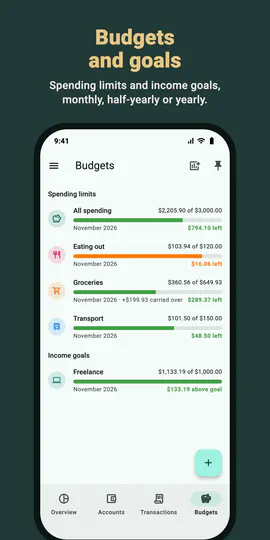
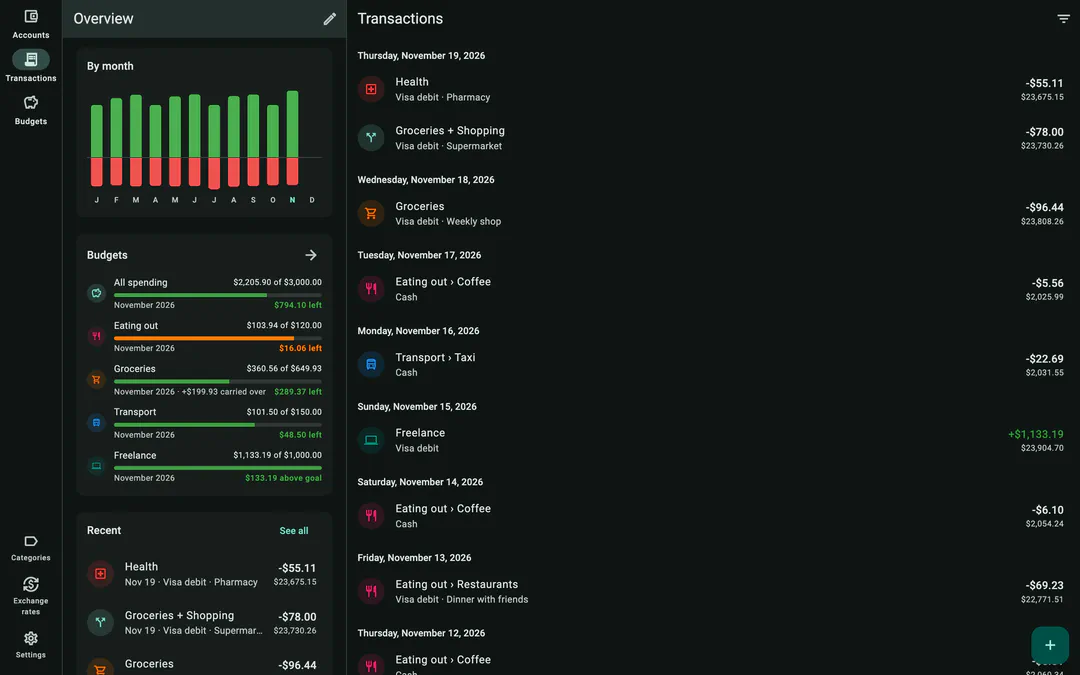
Set spending limits for a category or for everything, and income goals to work toward: monthly, every half year or yearly. Progress bars show what’s left at a glance, turning orange as a limit fills up. Unspent money can carry over to the next period, if you like. With Aqsha Plus, set your own periods too, such as payday to payday.
Day by day, month by month
Bars show income and spending for every day of the week or month, or every month of the year. Switch between week, month and year in one tap, and step back through earlier periods.
All your accounts, any currency
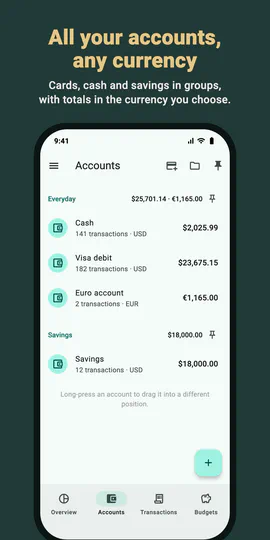
Cash, cards, savings and debts, each in its own currency, sorted into groups. Totals add up in the currency you choose, using your own exchange rates or the rates from your transfers between currencies. Archive old accounts without losing their history.
Quick to record
Add an expense, income or transfer in seconds. The amount field has a calculator built in, categories and subcategories have their own icons and colors, and the last account and category you used are ready for the next entry. Transfers between currencies record exactly what was sent and what arrived: enter both amounts, or one amount and the exchange rate.
Split a receipt
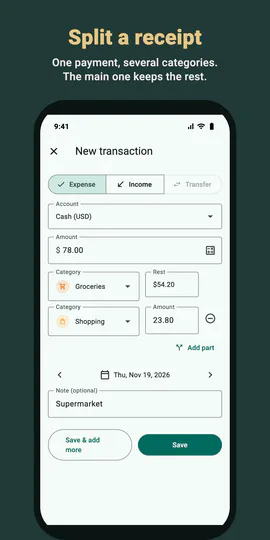
One payment, several categories: split a supermarket receipt into groceries and household things. The main category keeps the rest of the total by itself.
Find anything
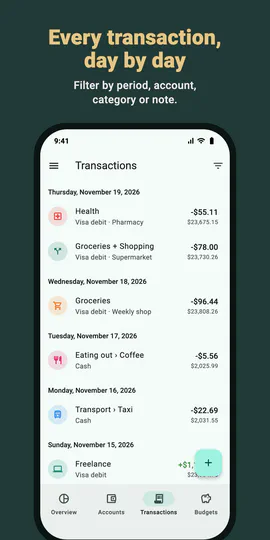
Transactions are grouped by day. Filter by period, type, account, category or text in the notes.
Sync your way, without a server (Aqsha Plus)
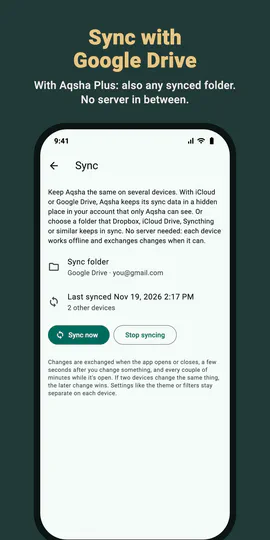
Keep your phone, tablet and computer in sync through iCloud, Google Drive, or any folder that Dropbox, Syncthing or similar keeps in sync. There’s no Aqsha server in between: each device works offline and exchanges changes when it can. With iCloud and Google Drive, the sync data lives in a hidden folder only Aqsha can see.
Backed up
Automatic backups, plus backups you save wherever you like and restore in a tap.
Made for every screen
Overview, accounts, transactions and budgets are always a tap away. With Aqsha Plus, pin the screens and account groups you use most, in your order. In English, Russian and Kazakh.
Aqsha Plus
A one-time purchase, no subscription:
- Sync between your devices. One device with Plus unlocks sync for all devices in its group.
- Your own navigation bar
- Custom budget periods
Private by design
- No account to create
- No ads and no tracking
- Your records stay on your devices and in storage you choose
- Works fully offline
Support
Questions, problems or ideas? Write to eugenemakesapps@gmail.com.
Privacy policy
Read how Aqsha handles your information. Privacy policy →