
Clockwork Calc: Hours & Mins
Time math & decimal hours

Coming soon to Google Play.
Adding up hours shouldn’t need a spreadsheet. Clockwork Calc is a calculator built for time. Type hours and minutes the way you’d type any number, and get answers you can use right away.
For Android and iPhone. Free, with no ads.
Type time the fast way
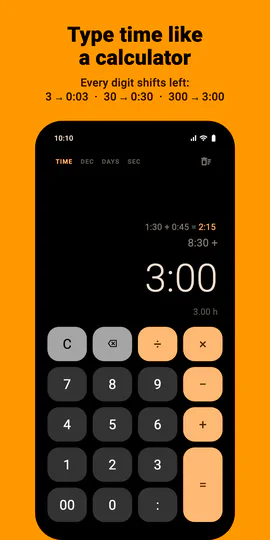
Every digit you type shifts the others left, like a cash register. Type 3 and you get 0:03. Then 0, and it’s 0:30. Another 0, and it’s 3:00. There’s no colon to hunt for and no separate hours and minutes fields.
Prefer a colon? It’s there
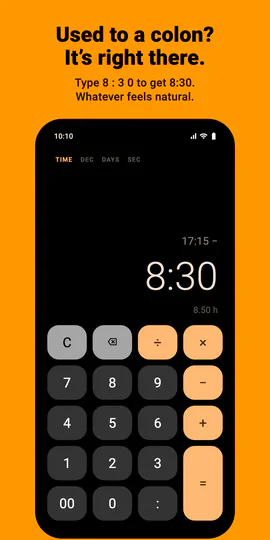
Type 8 : 3 0 to get 8:30. Use whichever way feels natural.
Convert minutes and seconds
Everything after the colon counts as minutes, however long: : 5 0 0 = gives 8:20. With SEC on, two colons mean seconds: : : 9 0 0 = gives 0:15:00.
Decimal hours in one tap
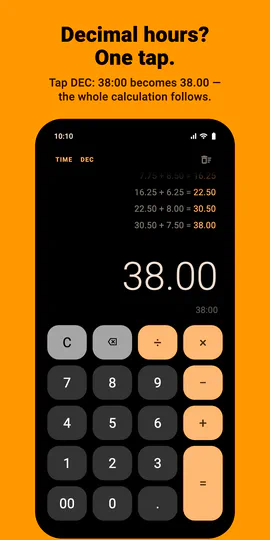
Timesheets and invoices want 7.75 hours, but you think in 7:45. Tap DEC and the whole calculation flips, your history included, between hours:minutes and decimal hours. Below every result you’ll also see the same value in the other format.
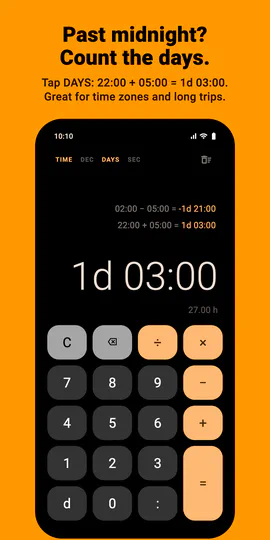
Past midnight? Count the days
Tap DAYS and anything over 24 hours shows as days: 22:00 + 05:00 = 1d 03:00. Going back works too: 02:00 − 05:00 = −1d 21:00, which is 9 pm the day before. To type days directly, use the d key: 1 d 5 0 0 gives 1d 05:00. Handy for time zones, night shifts and long trips.
Seconds when you need them
Tap SEC for h:mm:ss: lap times, video edits, anything timed to the second. Typing works the same way, and it works with DAYS too: 1d 03:30:15.
Add up your whole week
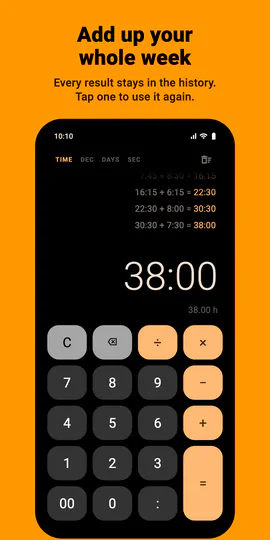
Every result stays in the history list above the display. Tap any past result to use it again in your next calculation.
Copy with a double-tap
Double-tap the result to copy it, ready to paste into a timesheet, invoice or message.
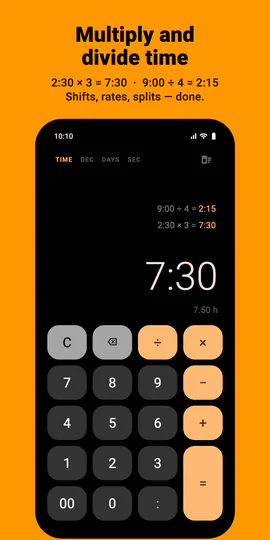
Multiply and divide time
2:30 × 3 = 7:30. 9:00 ÷ 4 = 2:15. Split a shift, work out time per task, or multiply a session by the number of days.
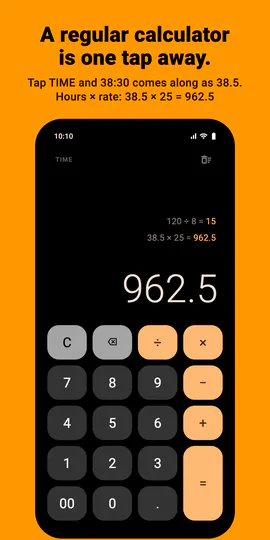
A regular calculator, too
Tap TIME to switch to an ordinary calculator, and the time on screen comes along as decimal hours: 38:30 becomes 38.5, ready for × 25 = 962.5. Each mode keeps its own calculation and history, so you can switch back and forth.
Great for
- Timesheets and payroll
- Freelancers and billable hours
- Shift work and overtime
- Studying, training and practice logs
- Video and audio lengths, lap and workout times
- Cooking and travel times, across time zones
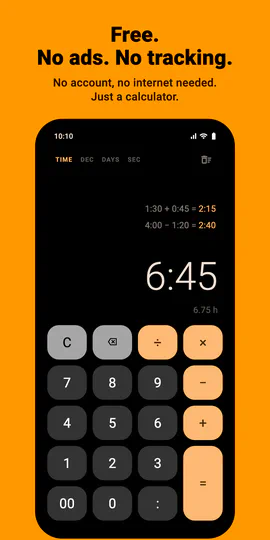
Free, with no ads
- No ads, ever
- No account and no data collected
- Works fully offline, with no internet access needed
A clean, dark design with large keys, made to do one job well.
Support
Questions, problems or ideas? Write to eugenemakesapps@gmail.com.
Privacy policy
Read how Clockwork Calc handles your information. Privacy policy →