
Hangar38: Pilot Logbook & W&B
GPS flight tracks & checklists
Coming soon to the App Store and Google Play.
Hangar38 is an aircraft companion for private pilots, flight schools and flying clubs. It keeps everything about your aircraft in one place: a working flight log, checklists, weight and balance, and reference data. It works on its own on your phone, or together with your club through a Hangar38 server.
For Android, iPhone and iPad. In English, Russian and Kazakh. Free, with no ads. The club server is at hangar38.kz.
Record every flight
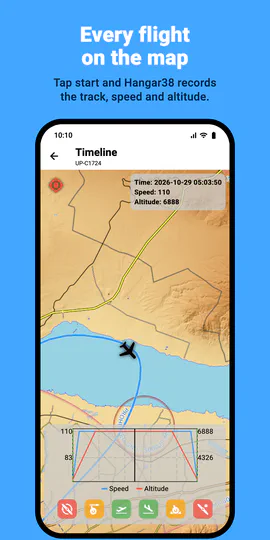
Tap start before engine start, and Hangar38 records the GPS track, speed and altitude, even with the screen locked. Mark engine start, off-block, takeoff, landing, on-block and shutdown with one tap, or let the app detect takeoff and landing by speed. After the flight, replay the track on a topographic map with airspace, along with the speed and altitude profile.
Your flight time, counted for you
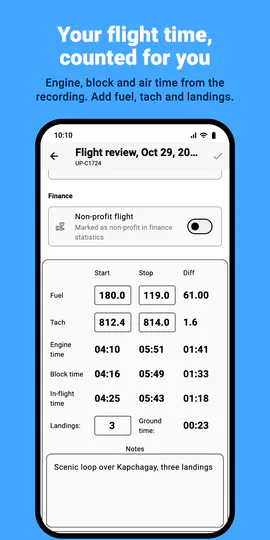
Engine, block, air and ground time are worked out from the recording. Add fuel and tach readings for each engine, landings, people on board and notes, and the flight is ready for the logbook. Plan flights ahead and start them from the plan.
A logbook that looks like a calendar
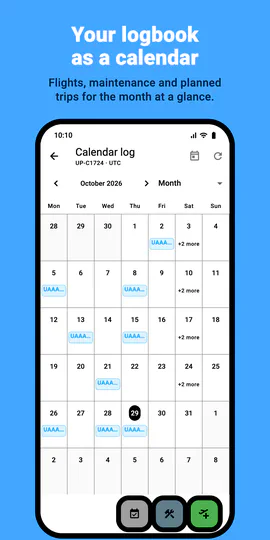
See flights, maintenance and planned flights by month, week, three days or day, all in UTC. Drag a flight to another time to move it. Maintenance and management events go in the same log.
Set up an aircraft in minutes
A step-by-step setup starts from a template for popular training and touring aircraft, with weight and balance stations, limits and normal checklists from the type’s manual. Check the numbers against your own aircraft’s documents, and you’re ready to fly. Single and multi-engine aircraft are supported.
Weight and balance
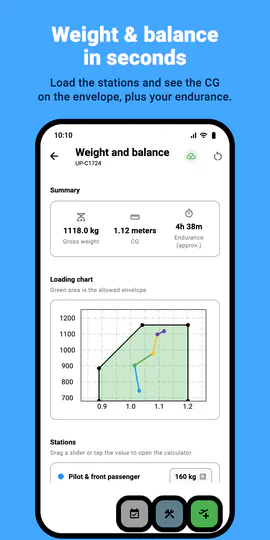
Set the empty weight, loading stations and envelope once. Then drag a slider or type a value for each station and see gross weight, centre of gravity and endurance straight away, with the CG traced on the loading chart. Show the CG as an arm or as % MAC. Fuel can be entered as volume or weight, in metric or imperial units.
Checklists
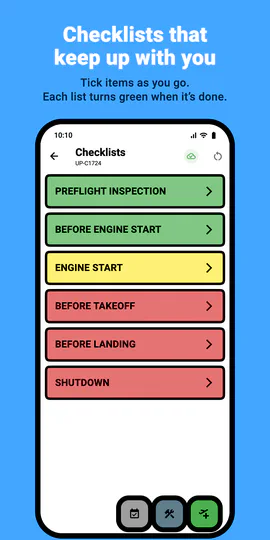
Interactive checklists with large, clear items. Tick items as you go: each list turns yellow while in progress and green when it’s done.
Trip sheets
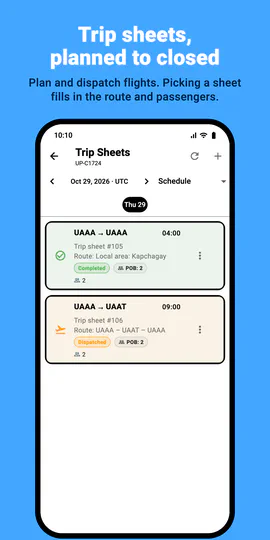
Plan, dispatch, sign off and close trip sheets. Pick a trip sheet when you start a flight, and the route, crew, passengers and non-profit flag are filled in for you.
Night mode
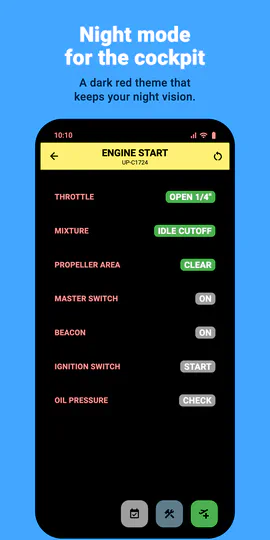
A dark theme that keeps your night vision in the cockpit, on its own or following your device’s setting.
Fly solo or with your club
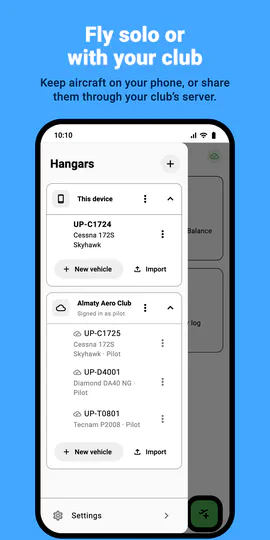
Keep aircraft on your phone with no account at all. Or connect to a Hangar38 server, run by your club or at hangar38.kz, to share aircraft, flights and trip sheets with other members. Each member has a role, members can follow a flight live, and flights recorded offline upload when you’re back online. On-board mode turns a phone that stays in the aircraft into its own logbook, locked with a PIN.
Also
- Aircraft information pages for V-speeds, limits and anything else you want at hand
- Daily flight summary as a PDF to print or share
- Flight simulator mode: record flights from X-Plane over Wi-Fi
- Import, export and duplicate aircraft
- English, Russian and Kazakh
Free, with no ads and no tracking.
Hangar38 is a helper, not an official logbook. Your paper pilot logbook and the aircraft’s paper logs remain the official record required by law; Hangar38 helps you keep them accurate. It also does not replace your aircraft’s approved flight manual or the pilot’s own checks.
Support
Questions, problems or ideas? Write to eugenemakesapps@gmail.com.
Privacy policy
Read how Hangar38 handles your information. Privacy policy →